Recently I had to demonstrate/clarify this exact situation to a company I’ve been working with.
A rogue query filled up the entire disk with TempDB activity. The query crashed and rolled back. TempDB was still huge — roughly 1TB across 16 files. We know TempDB is recreated every time SQL Server restarts, so… that should fix the disk space issue pretty quickly, right?
There’s nuance.
What size will the files actually be once TempDB is re-created and SQL Server is running again? Will they reset to the original size defined at installation — 8MB, in my case?
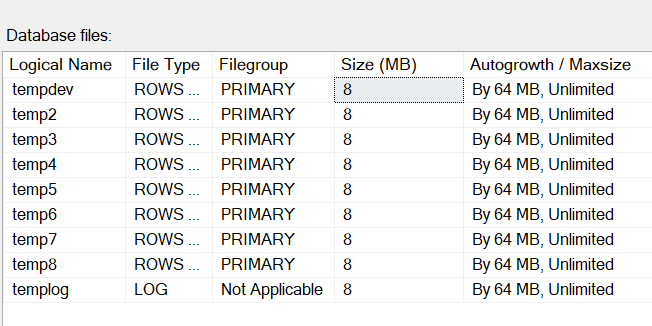
Confirming the starting point
I confirmed the starting sizes using sys.master_files and sys.database_files:
SELECT * FROM sys.master_files WHERE database_id = 2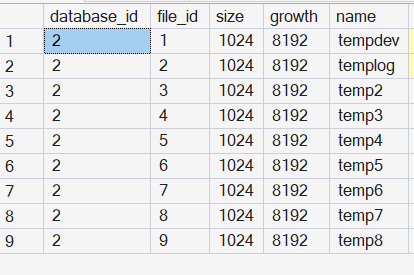
USE tempdb
GO
SELECT * FROM sys.database_files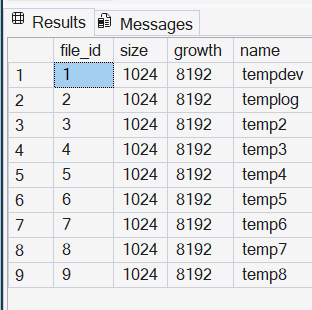
And sp_spaceused:
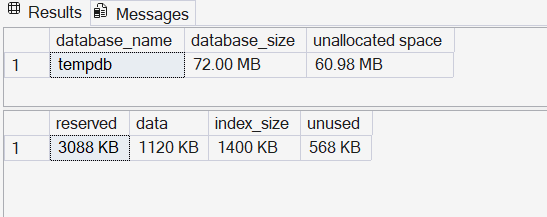
So far, all three sources agree on the database and file sizes.
Filling up TempDB on purpose
Now let’s run something deliberately wasteful to grow TempDB:
SELECT s1.* INTO #HOLD_JUNK
FROM sys.all_objects AS s1
CROSS JOIN sys.all_objects AS s2
CROSS JOIN sys.all_objects AS s3
I had to stop the query after a minute or two, as my TempDB files had already reached 2GB each.
Notice the difference in the “size” column between sys.master_files (top) and sys.database_files:
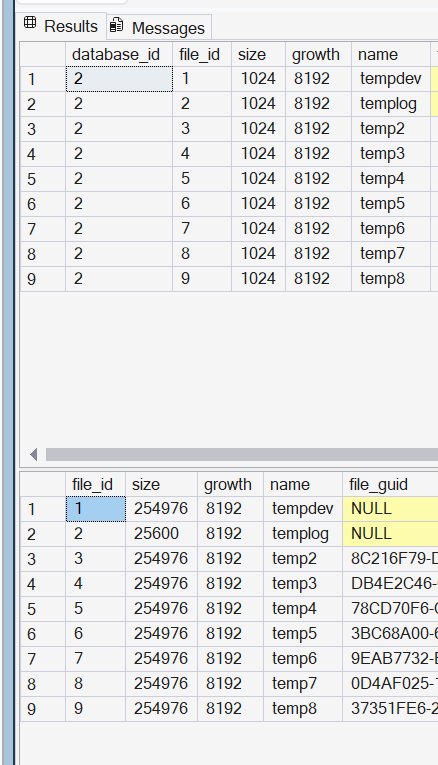
The lower result set accurately reflects the new TempDB size.
Shrinking it back down — sort of
Since the query was cancelled, the space in TempDB was deallocated, and I should be able to reduce the file size. Let’s shrink 1GB off the first file, tempdev:
USE [tempdb]
GO
DBCC SHRINKFILE (N'tempdev', 992)
GO
SHRINKFILE started taking too long because of blocking. So I did what a lot of us do under pressure: restarted the SQL instance to “fix” the tempdb problem.
So what size will tempdev come back at?
These are the actual files right before SQL Server was stopped:
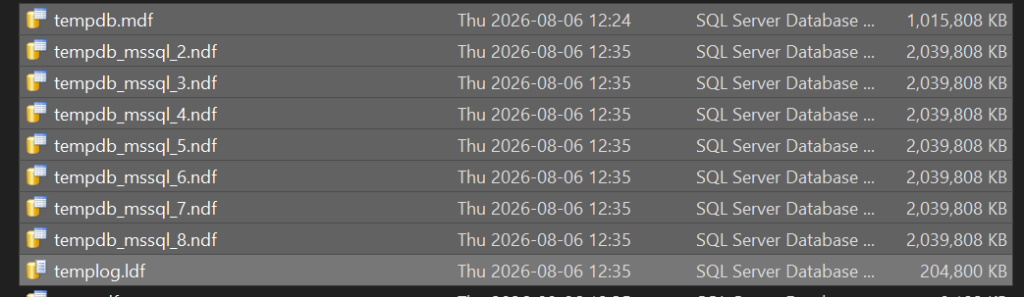
Stop SQL Server. Start SQL Server.
Interesting:
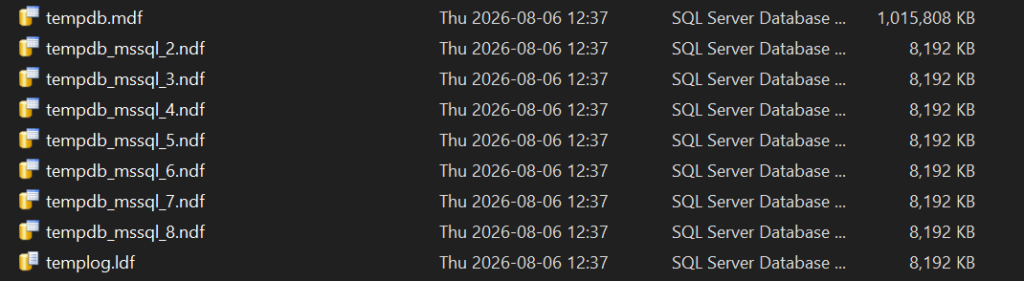
Let’s check the DMVs again:
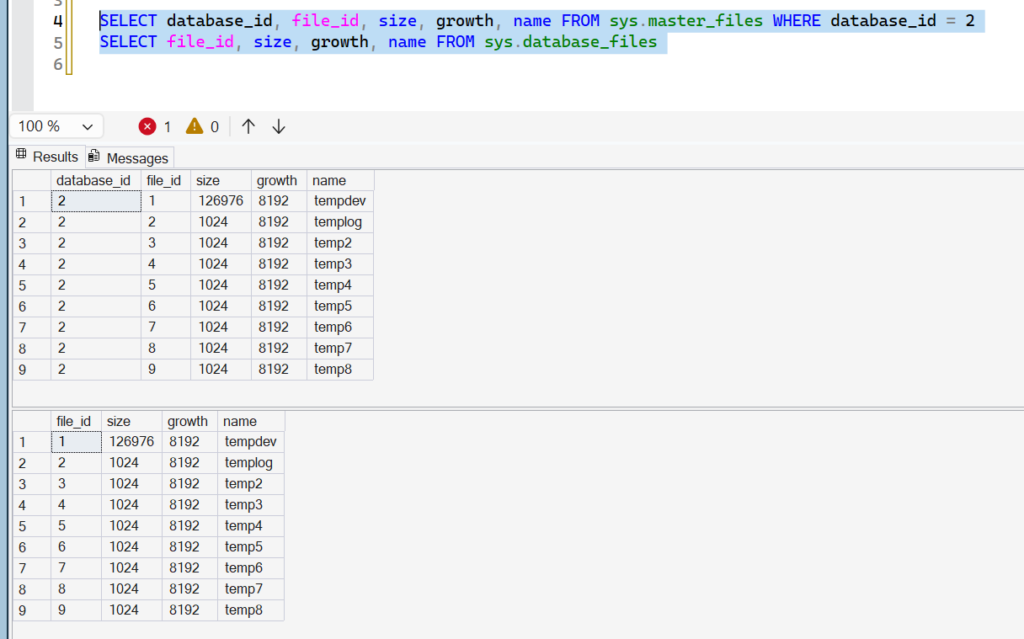
How do you like them apples?
TempDB did not come back at the original 8MB. It came back at the size recorded in sys.master_files at the time of shutdown — not the size defined at installation, and not the size after the (interrupted) shrink.
Can I go back? Kind of.
The quick fix — just restarting the instance — is no longer available. SHRINKFILE has to be run manually, preferably in small chunks, until the desired file sizes are reached:
USE [tempdb]
GO
DBCC SHRINKFILE (N'tempdev', 8)
GO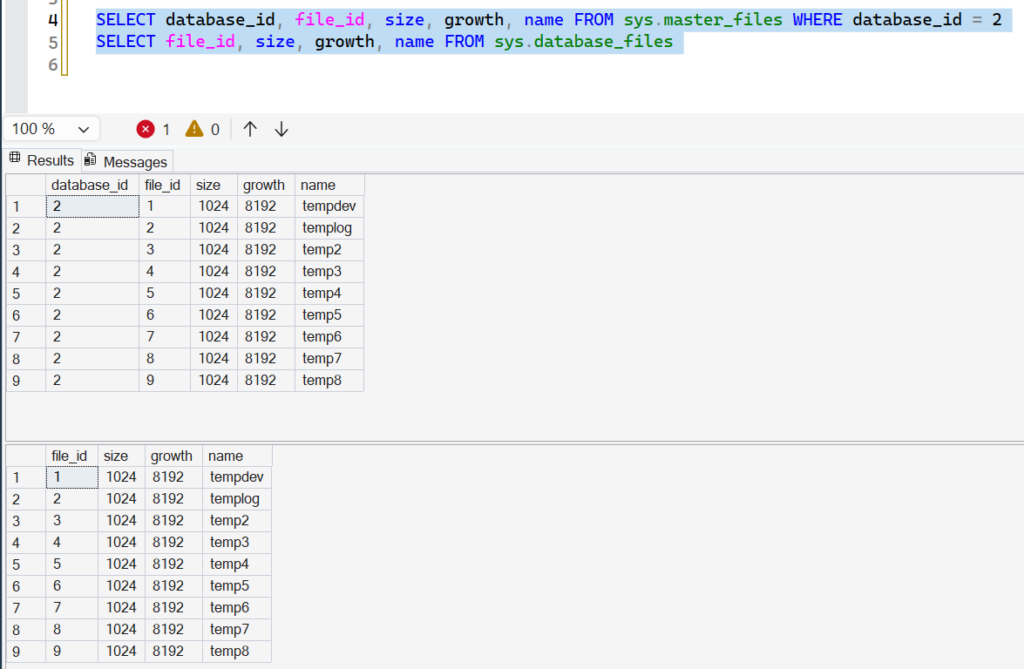
Takeaway
TempDB is recreated on every restart, but “recreated” doesn’t mean “reset to installation defaults.” Each file comes back at the size SQL Server had last recorded for it in sys.master_files. If you let TempDB balloon and then restart before shrinking it back down, you’re stuck doing the shrink manually — in small increments — rather than getting a free reset.